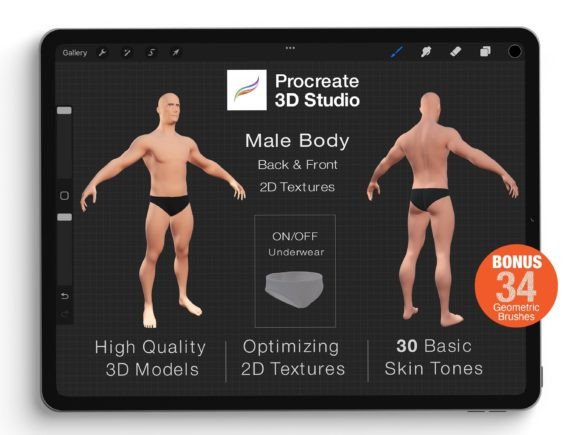
Procreate 3D Model - Full Body Male
The Procreate 3D Model - Full Body Male is a powerful digital asset designed to enhance creative workflows for artists, designers, and professionals who work in visual media. This model offers a realistic representation of a full-body male figure, enabling users to design, customize, and integrate it into various projects seamlessly. Whether you're working on character design, fashion illustration, or 3D concept art, this model provides a foundation that can be adapted to fit your specific needs.
What's Inside the Procreate 3D Model Pack - Full Body Male
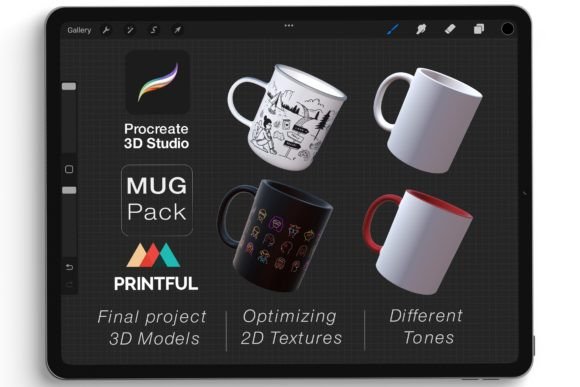
The Procreate 3D Model Pack - Full Body Male includes three high-quality models in both .Procreate and .USDZ formats, allowing for flexible use across different platforms and applications. These files are optimized for ease of use, ensuring that even those new to 3D modeling can quickly get started. Alongside the models, the pack also contains geometric brushes, which can be used to add intricate details and textures directly onto the 3D surfaces.
- Three full-body male 3D models in .Procreate and .USDZ formats
- Geometric brushes for detailed texture application
- High-resolution assets for professional-grade results
- Easy-to-use interface for customization and modification
How to Use the Procreate 3D Model in Your Workflow
The Procreate 3D Model - Full Body Male is ideal for integrating into a variety of creative processes. Before starting a project, you can use the model as a reference to sketch out designs, plan outfits, or visualize character anatomy. During the creation phase, the model allows you to draw directly on its surface, making it easier to apply textures, patterns, or color schemes in real-time. After completing a design, you can export the final artwork for use in presentations, marketing materials, or client reviews.
One of the key advantages of this model is its compatibility with other tools and software. For instance, you can import the .USDZ file into AR applications or 3D modeling programs like Blender or Maya for further refinement. The .Procreate format ensures that you can continue working within the Procreate app, taking advantage of its intuitive brush tools and layer system.
Customizing the Procreate 3D Model
Customization is at the heart of the Procreate 3D Model - Full Body Male experience. By optimizing 2D textures, you can easily re-color the model, add tattoos, or apply unique patterns without needing advanced 3D modeling skills. This makes it an excellent tool for illustrators, game designers, and fashion artists who want to experiment with different styles and aesthetics.
To begin customizing, start by selecting the appropriate texture map for the area you want to modify. You can then use Procreate’s brush tools to paint directly onto the model’s surface. This process allows for precise control over colors, gradients, and patterns, ensuring that your final design meets your creative vision.
Integrating the Model Into Your Creative Process
For many creators, the Procreate 3D Model - Full Body Male serves as a central element in their workflow. It can be used alongside traditional drawing techniques, digital painting, or 3D modeling software to create a cohesive visual identity. For example, a fashion designer might use the model to test fabric textures, while a game artist could use it to develop character animations.
When integrating the model into your workflow, consider organizing your assets in a structured manner. This includes keeping your Procreate files, texture maps, and brush sets in separate folders for easy access. Additionally, maintaining a consistent naming convention for your files can help streamline the process, especially when working on large-scale projects or collaborating with others.
Practical Tips for Using the Procreate 3D Model
To get the most out of the Procreate 3D Model - Full Body Male, follow these practical tips:
- Start with a clear design goal: Define what you want to achieve with the model before beginning any customization. This helps maintain focus and ensures that your efforts align with your creative objectives.
- Use layers effectively: In Procreate, utilize layers to separate different elements of your design, such as base colors, textures, and patterns. This makes it easier to adjust individual components without affecting the entire model.
- Experiment with brush settings: Adjust brush opacity, size, and flow to achieve the desired effect. This is especially useful when applying intricate details or shading to the model.
- Backup your work regularly: Save multiple versions of your project to prevent data loss. This is particularly important when working on complex designs that require multiple iterations.
Enhancing Your Creativity with 3D Modeling
Working in true 3D space opens up new possibilities for creativity and expression. With the Procreate 3D Model - Full Body Male, you can rotate viewpoints, explore different angles, and draw directly on the model as if it were a physical object. This feature is especially beneficial for artists who want to create dynamic compositions or study human anatomy from various perspectives.
Additionally, the ability to view and manipulate the model in 3D can improve your understanding of spatial relationships, lighting, and perspective. This knowledge can be applied to other areas of your work, such as 2D illustrations or 3D animations, helping you produce more polished and professional results.
Conclusion: A Versatile Tool for Digital Artists
The Procreate 3D Model - Full Body Male is a versatile and practical tool that can enhance the creative process for a wide range of users. Its high-quality design, ease of customization, and compatibility with other software make it an essential asset for artists, designers, and professionals looking to streamline their workflow. Whether you're working on a personal project or a commercial assignment, this model offers the flexibility and functionality needed to bring your ideas to life.